

Zero-trust security is no longer optional. With data breaches costing businesses over $3 million on average and remote work becoming the norm, protecting your organization requires a shift from traditional network security models. Instead of assuming trust, zero-trust tools verify every user, device, and application at every step.
This article breaks down five leading zero-trust solutions – Reco, Cloudflare One, JumpCloud, Twingate, and IBM Zero Trust – each offering unique methods to secure your systems. Here’s a quick summary:
- Reco: Focuses on SaaS environments with automated permission reviews and shadow IT monitoring.
- Cloudflare One: Offers a global network with SASE capabilities, replacing outdated VPNs.
- JumpCloud: Centralizes identity and device management for small to medium businesses.
- Twingate: Simplifies network access with software-defined perimeters, ideal for fast deployment.
- IBM Zero Trust: Scalable for large enterprises, integrating with existing systems for comprehensive security.
Quick Comparison:
| Tool | Best For | Key Features | Pricing Example |
|---|---|---|---|
| Reco | SaaS-heavy organizations | Real-time behavior analysis, shadow IT monitoring | Custom pricing |
| Cloudflare One | Distributed teams, global networks | SASE model, microsegmentation, DNS filtering | Free for up to 50 users; $7/user/month for larger teams |
| JumpCloud | Small to medium businesses | Unified identity and device management | Starts at $9/user/month |
| Twingate | Quick deployment, ease of use | Session-based tunnels, device posture checks | Free for 5 users; $4.26/user/month for Teams |
| IBM Zero Trust | Large enterprises | AI-driven threat detection, phased implementation | Custom pricing |
Choose the right tool by considering your organization’s size, budget, and infrastructure. For small businesses, JumpCloud or Twingate may suffice. Mid-sized companies may benefit from Cloudflare One, while enterprises with complex needs should consider IBM Zero Trust.
Making Zero Trust Real: Top 10 Security Controls you can implement now | BRK328
1. Reco
Reco takes a graph-based approach to tackle SaaS zero-trust security. By mapping user interactions across various cloud applications, the platform provides instant visibility into how data flows through your digital ecosystem.
Identity Verification and Access Controls
Reco works seamlessly with major identity providers through its API-driven architecture. It enforces strict identity verification and applies the principle of least privilege by automating permission reviews. These reviews analyze real-time user behavior and access requests, ensuring that users only have access to what they truly need. This approach creates a solid foundation for monitoring and integrates easily with existing systems.
Continuous Monitoring and Threat Detection
Reco goes beyond standard applications by monitoring shadow IT and unauthorized AI tools in SaaS environments. Using AI-powered analytics, the platform identifies unusual activity and potential security issues, enabling continuous oversight and quick detection of threats.
Enterprise Integration and Scalability
Designed with enterprises in mind, Reco integrates smoothly with existing Identity and Access Management (IAM) and Security Information and Event Management (SIEM) systems. Its automated policy enforcement reduces the need for manual configurations, while its access reviews provide detailed reports on who has access to specific resources. This not only simplifies compliance efforts but also streamlines security audits.
2. Cloudflare One
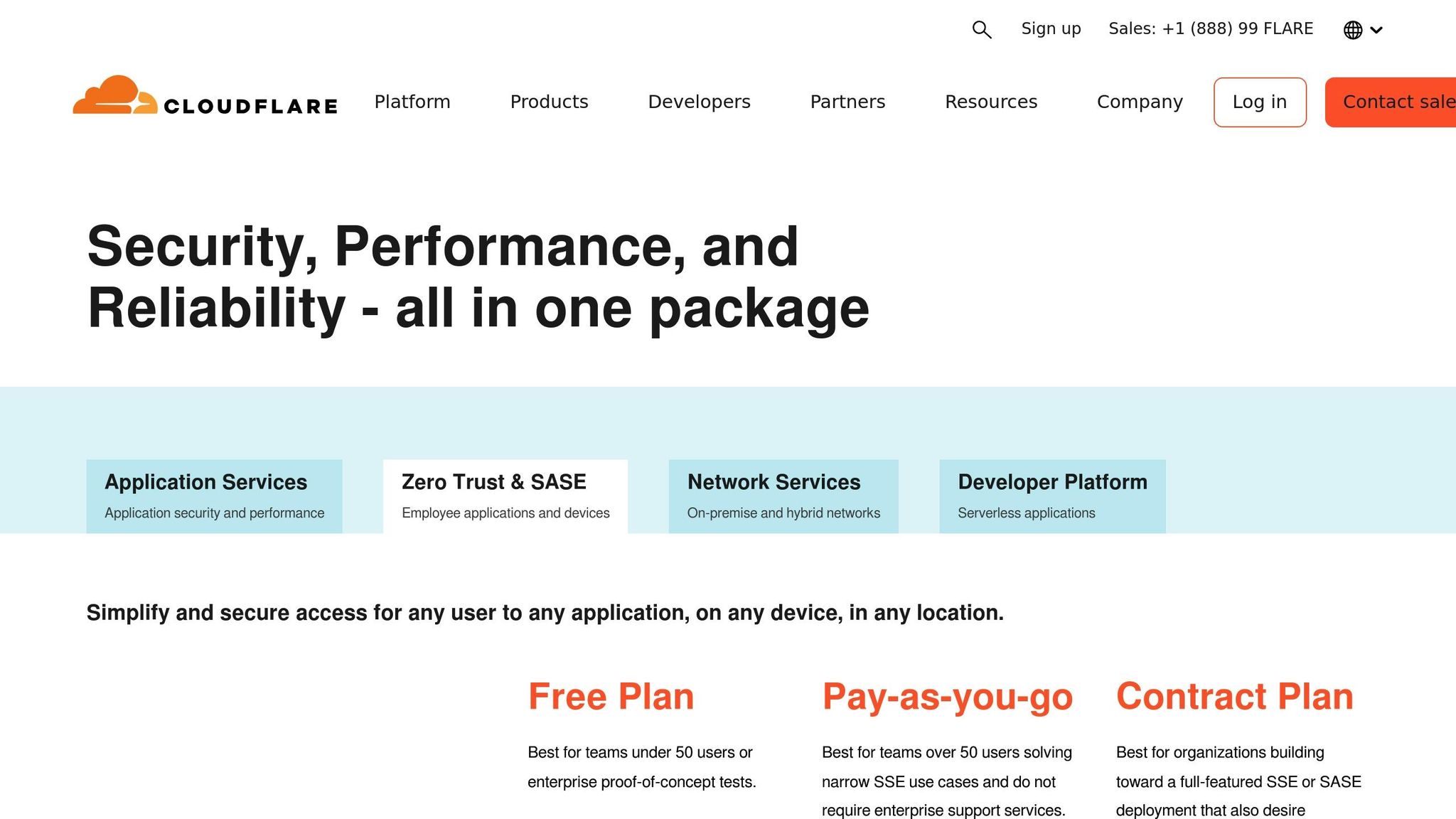
Cloudflare One introduces a SASE (Secure Access Service Edge) model designed for zero-trust security, replacing outdated VPNs with smarter, identity and context-based access controls. By routing all traffic through Cloudflare’s global edge network – which operates within approximately 50 milliseconds of 95% of the world’s internet-connected population – it ensures swift and secure connectivity while supporting precise identity and access management.
Identity Verification and Access Controls
At the heart of Cloudflare One is Cloudflare Access, a tool that verifies both user and device identity before granting access to any company application. It enforces context-based policies by evaluating factors like identity provider (IdP) groups, geolocation, device posture, session duration, and even external APIs to determine who gets access and under what conditions. The platform integrates seamlessly with popular identity providers, supporting both enterprise-grade and social IdPs for authentication. Beyond these checks, Cloudflare One continuously validates security status to address potential risks before they escalate.
Continuous Monitoring and Threat Detection
Cloudflare One doesn’t stop at initial verifications. It continuously rechecks identities, privileges, and device statuses to maintain a strong security posture. Its built-in DNS, firewall, and Secure Web Gateway actively filter traffic, enforcing policies and blocking unsafe websites. Additionally, the platform’s microsegmentation feature divides networks into smaller segments, limiting the scope of potential breaches. This proactive approach has led to an 80% reduction in remote access support tickets compared to traditional VPN setups.
Enterprise Integration and Scalability
Cloudflare One is designed to fit into virtually any IT environment, offering deployment options across multi-cloud, hybrid cloud, public cloud, and private cloud setups. Depending on an organization’s existing infrastructure, it supports both agent/proxy-based and appliance/routing-based implementations. This flexibility is powered by Cloudflare’s extensive network, which spans 330 data center locations worldwide.
"Cloudflare Access was a game-changer for Bitso. It made Zero Trust much easier. We now manage access to internal resources more efficiently, ensuring the right people have the right level of access to the right resources, regardless of their location, device or network."
- Cybersecurity Lead, Bitso
Pricing and Deployment Flexibility
Cloudflare One offers pricing options tailored to different organizational needs:
- Free Plan: Supports up to 50 users, perfect for proof-of-concept trials within enterprises.
- Pay-as-you-go: $7 per user per month for teams exceeding 50 users.
- Contract Plan: Custom annual pricing for comprehensive SSE or SASE deployments.
One notable example is a telecom company that, in 2018, used Cloudflare One to secure internal resources for over 100,000 employees – achieving this in mere minutes.
3. JumpCloud
JumpCloud is a cloud-based directory platform that centralizes identity, device, and directory management. Unlike traditional solutions like Active Directory, JumpCloud eliminates the need for on-premises infrastructure and fully embraces zero-trust principles.
Identity Management and Privileged Access Controls
At the heart of JumpCloud’s approach is its zero-trust security framework, which assumes every access request could be a threat, no matter the user’s location or device. It simplifies privileged access management (PAM) with features like secure vaulting, just-in-time access, and thorough auditing. By using role-based access control (RBAC), just-in-time access, and conditional policies, the platform enforces the principle of least privilege based on user context, device status, and risk level.
A practical example of its effectiveness comes from the Tennessee Baptist Mission Board. System Admin David Delgado shared:
"JumpCloud gives us better resilience against professional cyberattacks. We’ve actually gotten a 20% reduction in cyber insurance premiums because we’ve mandated MFA for all accounts and minimized admin privileges."
These measures are further bolstered by JumpCloud’s proactive approach to threat monitoring.
Security Monitoring and Threat Detection
JumpCloud’s Identity Threat Detection and Response (ITDR) capabilities provide continuous oversight and proactive security management. The platform monitors essential security metrics, such as disk usage, system status, permission changes, and compliance with software policies. It also identifies unauthorized applications and allows organizations to set up custom alert rules or use script-based monitoring for tailored assessments. With the financial impact of downtime soaring, this level of monitoring helps ensure business continuity.
Integration Capabilities and Protocol Support
JumpCloud supports a wide range of authentication protocols, including SAML, SCIM, OAuth, WebAuthn, and LDAP. These protocols ensure secure user access to resources while simplifying tasks like provisioning, deprovisioning, and account updates. The platform also integrates seamlessly with tools like SIEM and SOAR to strengthen threat detection and response. For organizations with existing VPN setups, JumpCloud’s cloud LDAP and RADIUS functionalities provide additional flexibility.
Pricing Structure and Market Recognition
JumpCloud offers tiered pricing plans designed to meet various organizational needs:
| Plan | Price per User/Month | Key Features |
|---|---|---|
| Device Management | $9 | Basic device control and monitoring |
| SSO | $11 | Single sign-on (SSO) |
| Device Identity | $13 | Device-based identity verification |
| Core Directory | $13 | Cloud directory services |
| Platform | $19 | Full identity and device management |
| Platform Prime | $24 | Advanced features and premium support |
The platform has garnered strong reviews, including a 4.5 out of 5 stars rating on Gartner Peer Insights, an 8.8 out of 10 score on TrustRadius, and recognition as a Leader by G2 in several IT management categories.
Research highlights the effectiveness of zero-trust strategies, showing that organizations adopting them are twice as likely to avoid critical outages caused by attacks. Additionally, over 90% of attacks can be prevented by using multi-factor authentication.
sbb-itb-760dc80
4. Twingate
Twingate takes a software-defined perimeter (SDP) approach to zero-trust network access, moving away from traditional VPN technology. Instead of relying on static connections, it forms virtual, session-based tunnels between user devices and specific resources. This method effectively makes protected assets invisible to attackers.
Zero-Trust Architecture with Software-Defined Perimeters
What sets Twingate apart is its ability to separate access control from the physical network. By hiding resources behind proxies, it ensures they remain invisible, even on compromised networks. This is critical when you consider that, according to CrowdStrike, cyberattacks can spread in just 92 minutes, while detection can take up to 146 hours.
"Zero Trust Network Access (ZTNA) is a modern approach to access control that makes an organization’s protected resources more secure from cyberattacks."
The SDP framework works by placing proxies in front of each protected resource, which then register with an SDP controller. When a user requests access, the controller handles authentication and authorization, creating a secure, session-based tunnel directly between the user’s device and the resource. This approach reinforces zero trust principles like least privilege and continuous verification.
Advanced Authentication and Device Posture Checks
Twingate goes beyond basic credential checks by implementing comprehensive device posture assessments. These checks evaluate factors such as operating system status, firewall settings, antivirus protection, encryption, and even biometric security. If a device fails any of these checks, access is immediately revoked, maintaining security throughout the session.
The platform also integrates with major Identity Providers, including Azure AD, Okta, Google Workspace, and JumpCloud, to streamline user authentication.
Scalability and Enterprise Integration
With an API-first design and compatibility with Infrastructure as Code (IaC) tools like Terraform and Pulumi, Twingate is well-suited for organizations seeking automated deployment and management. It delivers 99.99% reliability and adjusts seamlessly to changing business demands.
Twingate also supports integrations across various categories, including device management tools like CrowdStrike, SentinelOne, Microsoft Intune, Kandji, and Jamf, as well as cloud platforms such as AWS, Google Cloud Platform, Microsoft Azure, and Oracle Cloud Infrastructure.
"Implementing and managing Twingate is a devops engineer’s dream. From highly relevant and technical documentation to solid IaC providers… the team at Twingate have made it so easy to deploy and automate Twingate at any scale."
Pricing and Market Performance
Twingate offers flexible pricing plans designed to cater to businesses of all sizes:
| Plan | Price | User Limit | Key Features |
|---|---|---|---|
| Starter | Free | Up to 5 users | Basic ZTNA functionality |
| Teams | $4.26/month per user | Up to 100 users | Enhanced features and support |
| Business | $8.52/month per user | Up to 500 users | Advanced security controls |
| Enterprise | Custom pricing | Unlimited users | Full feature set with custom support |
Twingate has earned a strong reputation, boasting an overall rating of 4.7 out of 5 stars and ranking 16th among 84 VPN solutions with a 7.8/10 score. In April 2022, the company raised $42 million in a Series B funding round, bringing its total funding to $67 million.
The platform aligns with the growing zero-trust market, which is projected to increase from $41.28 billion in 2024 to $52.18 billion in 2025, reflecting a 26.4% compound annual growth rate (CAGR). By using 256-bit AES encryption and establishing direct user-to-resource connections, Twingate offers faster and more secure access compared to traditional centralized routing models.
Next, we’ll explore the common strengths and weaknesses of these zero-trust solutions to help you make an informed decision.
5. IBM Zero Trust
IBM takes a comprehensive approach to zero trust, treating it not as a product but as a guiding principle. IBM’s Chief Information Security Officer (CISO) puts it succinctly: “Zero trust isn’t something you can buy or implement. It’s a philosophy and a strategy”. Here’s how IBM applies this mindset across identity verification, threat detection, and system integration.
Identity Verification and Access Management
At the heart of IBM’s zero trust framework is the mantra: “never trust, always verify.” Every single access attempt – whether by users, devices, or workloads – must undergo authentication and validation. This ensures that no network resource is accessible without proper verification. The IBM Security Verify Access platform plays a key role here, offering authentication, authorization, and data protection. It incorporates AI-driven tools to handle both workforce and customer identity requirements, supporting a variety of authenticators and external methods.
Dynamic access control policies further enhance security by factoring in user privileges, location, device health, threat intelligence, and behavioral patterns before granting or denying access. This is especially critical given that 30% of cyberattacks involve the theft and misuse of valid accounts.
Continuous Threat Detection and Monitoring
IBM’s zero trust model emphasizes real-time threat detection through continuous monitoring. IBM Security QRadar analyzes network traffic in real time, enabling organizations to quickly detect and respond to potential threats. This proactive approach is backed by data: organizations that implement zero trust frameworks experience a 30% reduction in data breaches, and those fully adopting zero trust see 40% fewer breaches compared to traditional security models.
IBM also offers Verify Identity Protection, which combines identity threat detection and response (ITDR) with identity security posture management (ISPM). This dual-layered approach addresses a major vulnerability: credential theft, which remains the leading cause of data breaches and accounts for 16% of attacks.
Seamless Integration and Practical Applications
IBM’s zero trust strategy stands out for its focus on integration. Rather than requiring a complete overhaul of existing systems, IBM allows organizations to build on their current infrastructure. This flexibility enables businesses to continue using familiar tools while enhancing their capabilities through prebuilt integrations. One such solution is IBM Security MaaS360, an AI-powered unified endpoint management (UEM) tool that safeguards mobile workforces and sensitive data.
This integration-first approach has been successfully implemented by major organizations. For instance, Commercial International Bank S.A.E. (CIB), Egypt’s largest private bank, partnered with IBM on a 5-year project to improve identity and access management (IAM) and governance. Similarly, Valor de Logistica Integrada (VLI) streamlined user access processes, delivering access 99% faster while ensuring security. On a larger scale, the IBM Office of the CIO deployed a secure IAM solution that now supports over 27 million users through IBM Verify.
Phased Implementation for Maximum Impact
IBM promotes a step-by-step implementation strategy, starting with high-risk areas and expanding based on insights from continuous monitoring. A prime example is the U.S. Department of Defense (DoD), which adopted IBM’s phased zero trust approach. By focusing on micro-segmentation and continuous monitoring, the DoD achieved a 43% reduction in unauthorized access within just one year.
The urgency for adopting zero trust is clear. According to a 2024 TechTarget Enterprise Strategy Group report, over two-thirds of organizations are now implementing zero trust policies. This shift is happening against the backdrop of rising data breach costs, which have increased by 15% over the past three years.
Next, we’ll explore the common strengths and challenges of zero trust solutions, helping you determine which approach aligns best with your organization’s needs.
Strengths and Weaknesses
Zero-trust security tools each come with their own set of perks and challenges. Knowing these trade-offs is key to choosing the right solution for your organization’s needs.
Implementing a zero-trust architecture (ZTA) isn’t a quick fix – it’s a gradual process. It involves weaving zero-trust principles, new processes, and technical solutions into your operations to safeguard critical data assets.
| Tool | Advantages | Challenges | Best For |
|---|---|---|---|
| Reco | Advanced SaaS security posture management, AI-powered threat detection, thorough data discovery | Limited to SaaS environments; may require additional tools for full zero-trust coverage | Organizations heavily reliant on cloud applications |
| Cloudflare One | Global network infrastructure, integrated SASE capabilities, strong DDoS protection | Complex configuration; potential concerns about vendor lock-in | Companies needing global network performance |
| JumpCloud | Unified identity and device management, cross-platform support, flexible pricing | Lacks advanced threat detection; limited features for large enterprises | Small to medium businesses seeking comprehensive IAM |
| Twingate | Quick deployment, granular access controls, user-friendly interface | Newer platform with limited enterprise experience; fewer integrations | Organizations prioritizing ease of use and fast implementation |
| IBM Zero Trust | Scalable for enterprises, extensive integrations, proven reliability | High complexity, significant costs, lengthy implementation | Large enterprises with complex infrastructures |
These tools illustrate the balance between zero-trust principles and practical business needs. However, several recurring factors influence how effectively these tools perform in real-world environments:
Integration hurdles are a common challenge. Compatibility with existing infrastructure can slow down adoption, which is why only 63% of organizations worldwide report being fully or partially zero-trust compliant.
Costs vary widely. While some tools, like JumpCloud, offer affordable options for smaller businesses, enterprise-grade solutions like IBM Zero Trust demand significant investment. Meeting compliance standards often adds to this cost, as some tools may require additional configurations or companion solutions. For instance, Twingate’s auditing features help address regulatory requirements, while other tools might need extra steps to meet similar standards.
User experience is another critical factor. Continuous verification, a cornerstone of zero-trust, can disrupt workflows if the interface isn’t intuitive. Twingate stands out with its sleek admin console and simple user experience, whereas more comprehensive tools like IBM Zero Trust may require extensive training for effective use.
Monitoring and visibility also differ across platforms. While all tools provide some level of continuous monitoring, the depth and usability of insights vary. Organizations that fully utilize monitoring features can cut long-term security costs by 31%.
Finally, misconceptions about zero-trust can derail implementation efforts. As John Kindervag, a pioneer in zero-trust, points out:
"Any business or vendor that claims to have a zero trust product is either lying or doesn’t understand the concept at all".
This highlights that success hinges not just on the tool but also on how well zero-trust principles are implemented and embraced within the organization.
A step-by-step approach works best. Start by addressing the highest-risk areas, then expand gradually. This method ensures your chosen tools align with your organization’s risk profile and resource availability.
Final Recommendations
To address your organization’s security needs effectively, align your choice of tools with your size, budget, and compliance requirements. Here’s a breakdown of tailored recommendations based on organizational scale and specific environments:
For small businesses, tools like JumpCloud and Twingate are great starting points. Twingate even offers a free starter plan for a limited number of users. Small businesses are especially vulnerable – 58% of all cyberattacks target companies with fewer than 1,000 employees, and 82% of ransomware incidents hit organizations of this size. For example, in 2025, a marketing agency with remote employees adopted zero-trust principles by using endpoint security tools and enforcing multi-factor authentication (MFA). This simple shift cut phishing attempts by 80%.
Mid-sized organizations might find Cloudflare One a strong option. Its global network infrastructure and integrated SASE capabilities make it ideal for companies with distributed teams or international operations. It ensures consistent performance across multiple locations, a critical need for growing businesses.
Large enterprises with complex setups and bigger budgets should look into IBM Zero Trust. While it comes with higher costs and more intricate implementation, it delivers the scalability and extensive integrations required for enterprise environments. According to Forrester, adopting zero-trust principles can reduce average breach costs by up to 40%.
Beyond organizational size, consider specialized needs. For SaaS-heavy environments, Reco offers a targeted approach to protect digital assets in cloud-reliant settings.
For industries like healthcare, compliance is non-negotiable. Healthcare organizations must adhere to HIPAA and HITECH by implementing access controls, audit trails, encryption, and robust risk management practices. In 2023, the U.S. Department of Health and Human Services reported 725 healthcare breaches, exposing 133 million patient records. With the average cost of a healthcare data breach exceeding $10.1 million, strong security measures are critical.
Start by performing a gap analysis of your compliance posture. Map out users, devices, and data flows, then enforce strong MFA and contextual login rules. For instance, a global financial institution introduced automated permission reviews across its hybrid cloud infrastructure, reducing overprivileged accounts by more than 60% within six months. These steps ensure your zero-trust strategy stays aligned with both security needs and business goals.
Budget planning is equally important. Evaluate the total cost of ownership, factoring in implementation, licensing, and maintenance. Look for tools with competitive per-user pricing – options like $22 or $14 per month can help keep costs manageable.
FAQs
What should I consider when selecting a zero-trust security tool for my organization?
When choosing a zero-trust security tool, it’s important to consider how well it fits with your current systems and whether it can support hybrid work setups. Key features to look for include strict identity verification, least privilege access, and continuous monitoring – all essential components of zero-trust principles.
You should also assess whether the tool can meet your organization’s specific security requirements, such as adhering to industry regulations. Opt for solutions that offer strong device protection, can scale as your needs grow, and are straightforward to implement. These factors will help bolster your overall security framework.
What are the key differences in how zero-trust security tools like Reco and Twingate protect SaaS environments?
Reco takes a zero-trust approach by constantly verifying both users and devices. It employs identity-driven access controls, real-time monitoring, and risk-based policies to eliminate any assumptions of trust. By leveraging behavioral analytics and continuous activity validation, Reco ensures a high level of security.
Twingate, on the other hand, is designed to provide secure and efficient access to SaaS applications. It replaces traditional VPNs with an identity-based solution that simplifies remote access. With a focus on easy deployment, strong performance, and robust security, Twingate is a great fit for organizations looking for quick and straightforward SaaS access solutions.
While both tools adhere to zero-trust principles, their strengths lie in different areas. Reco is centered on advanced monitoring and security, whereas Twingate shines in offering simplified access and ease of use for remote work setups.
What are the key benefits and challenges of adopting a zero-trust architecture in large enterprises?
Adopting a zero-trust architecture in large enterprises comes with clear advantages. It strengthens defenses against breaches, minimizes the risk of unauthorized access, and provides tighter control over sensitive information. By prioritizing identity verification, enforcing least privilege access, and utilizing continuous monitoring, zero-trust boosts security and reduces the impact of potential threats.
That said, implementing zero-trust isn’t without its hurdles. The process can be expensive, may clash with outdated legacy systems, and often faces pushback from internal teams. Additionally, deploying such a comprehensive framework can be complex and strain existing resources. To address these challenges, organizations can focus on careful planning and a phased rollout, making the transition to zero-trust more manageable and effective.